> ## Documentation Index
> Fetch the complete documentation index at: https://docs.zydrec.com/llms.txt
> Use this file to discover all available pages before exploring further.
# Entitysets
# Room entitysets
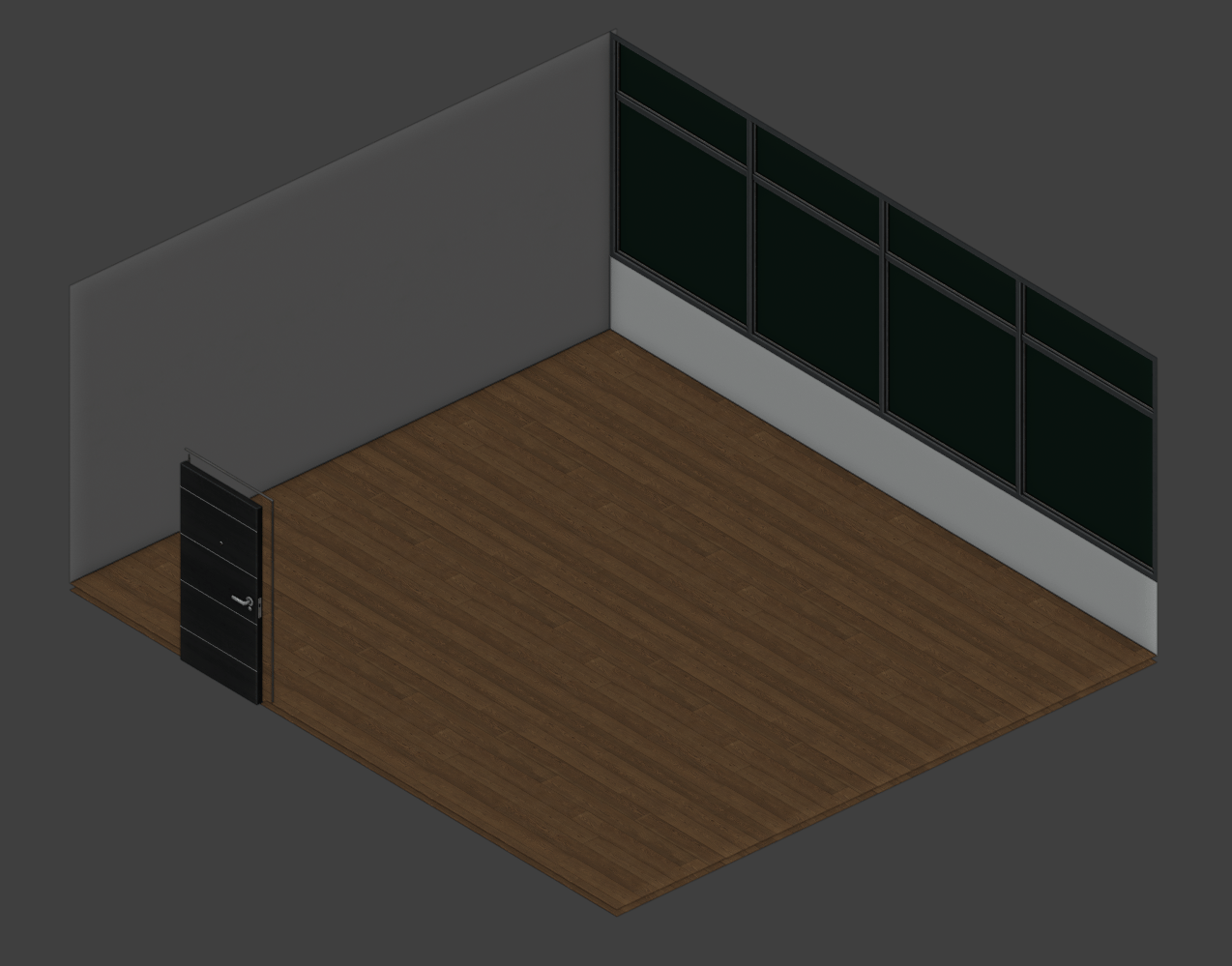
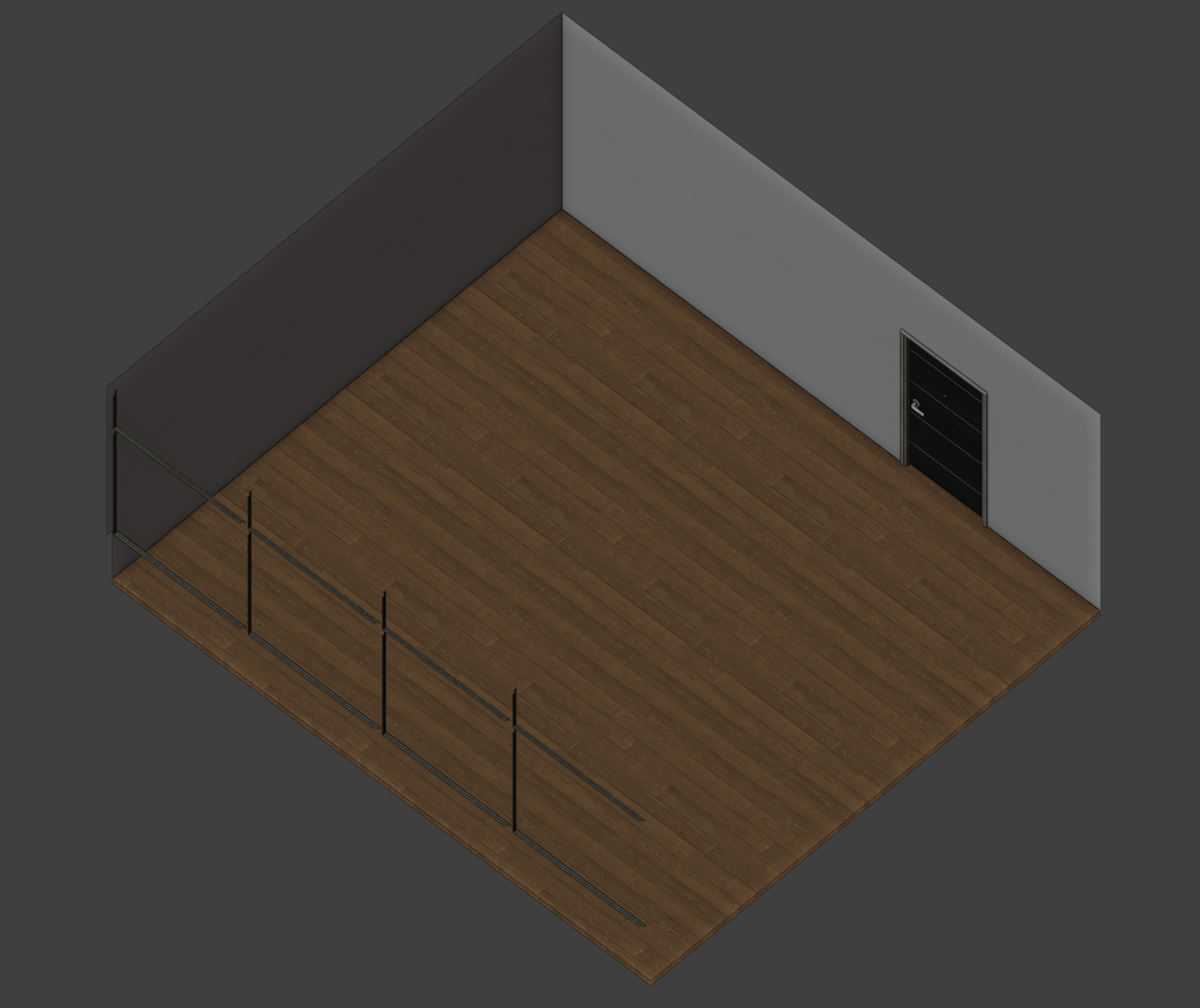
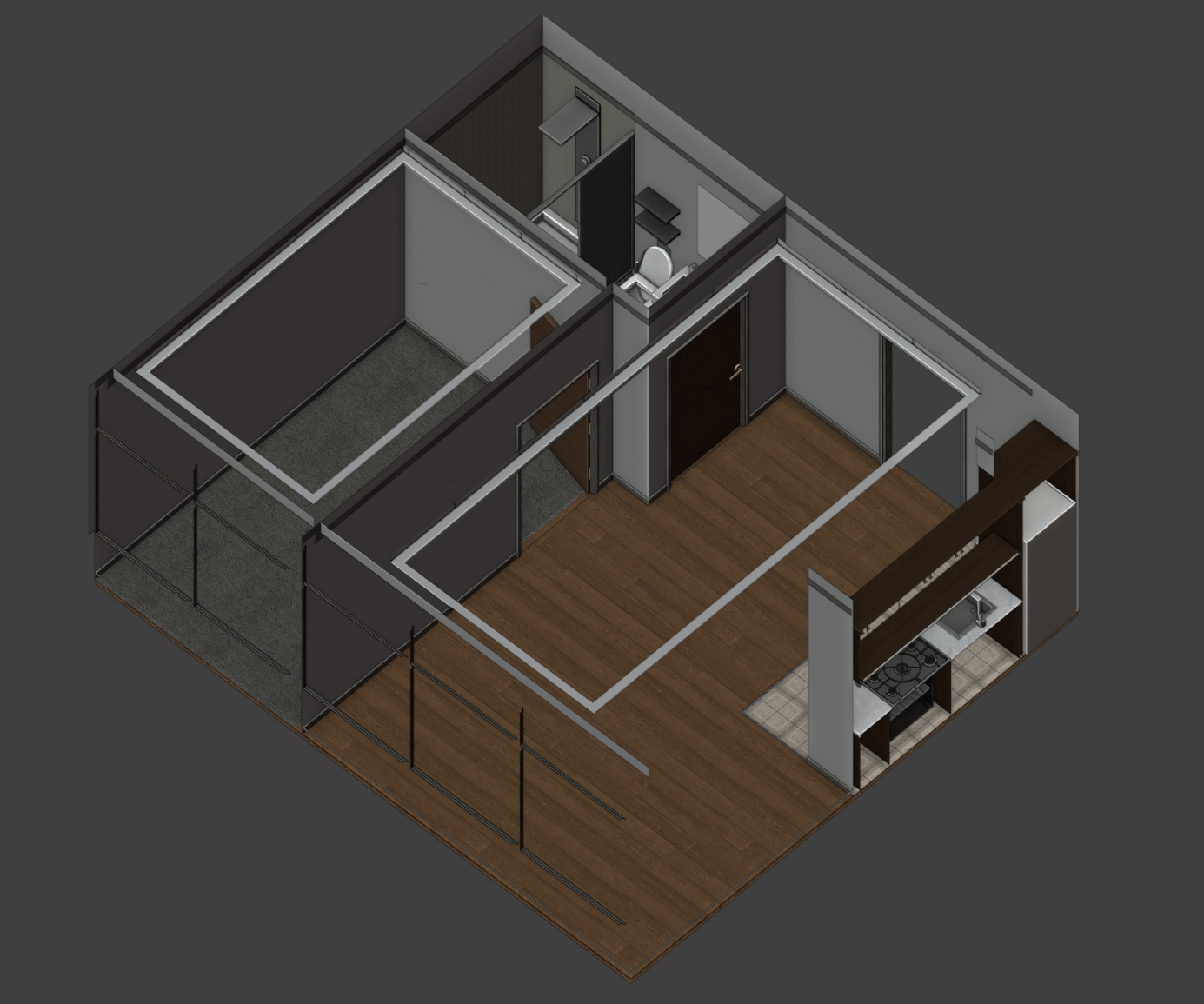
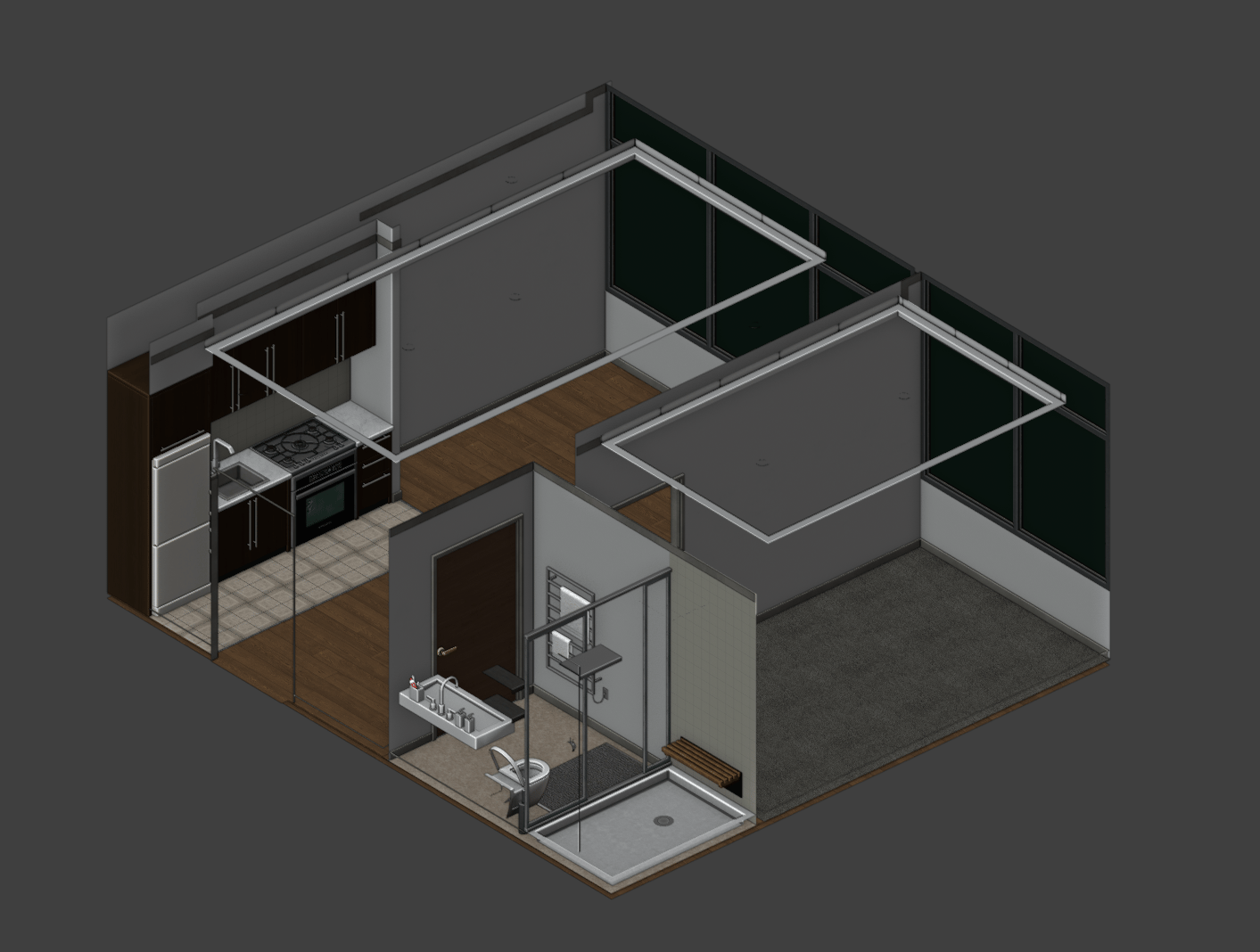
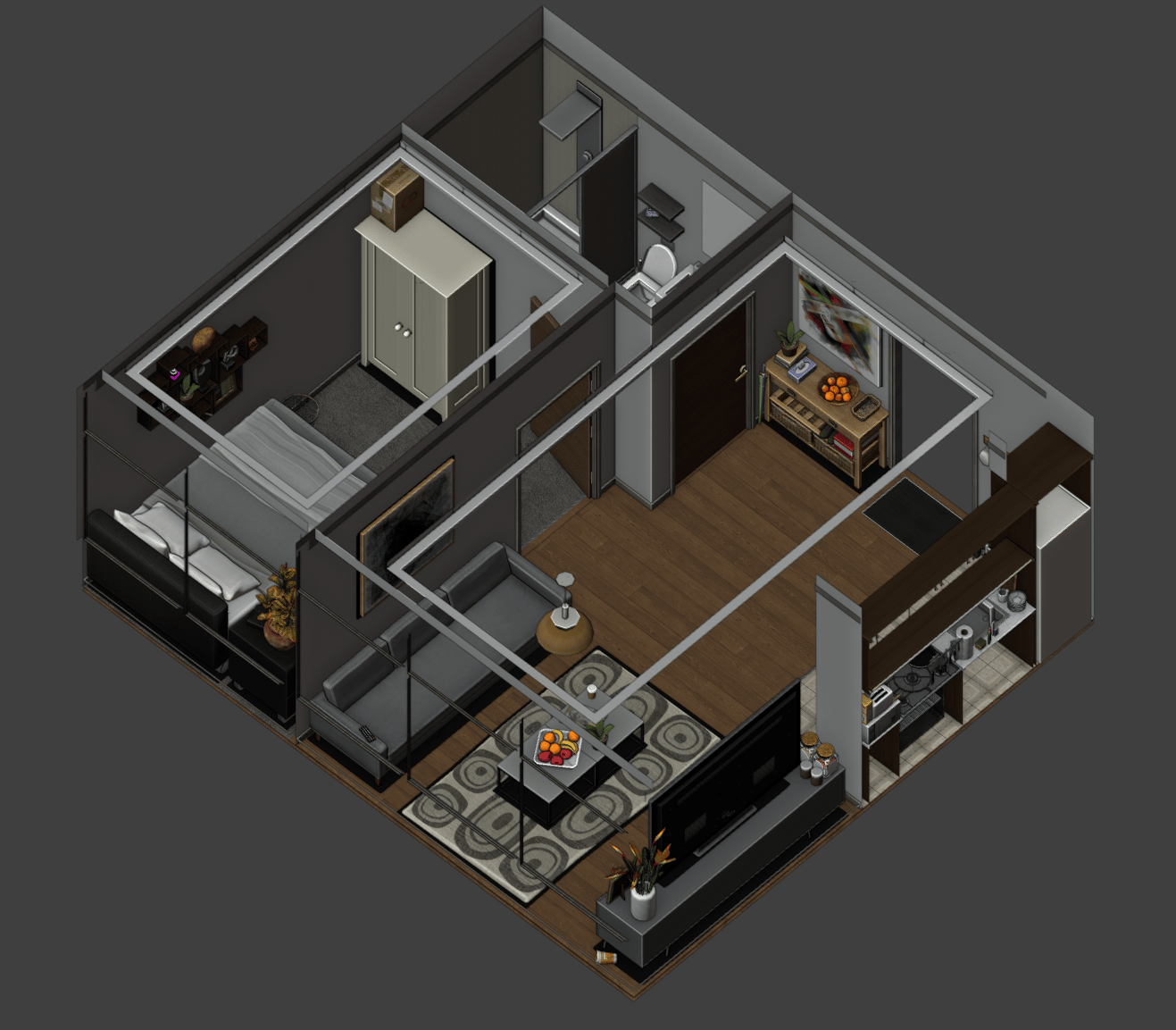
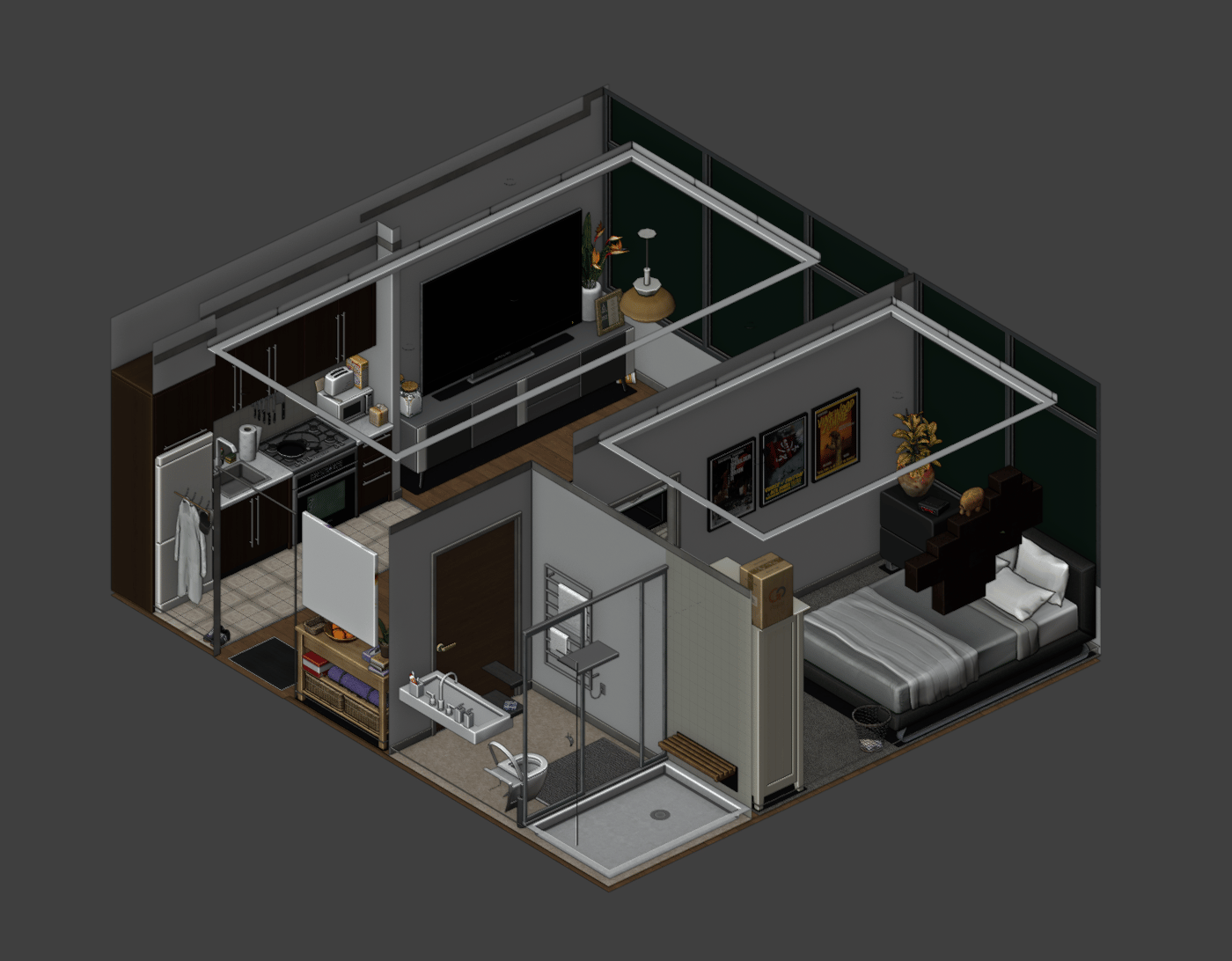
Each floor can be customized to have one set of room entitysets. For example, you can have floor 2 set as 'empty' and floor 3 set as 'basic'. You'll find the preview of each entityset below.
## Empty
The 'empty' entityset is an apartment with no furniture or appliances, just the basic shell, letting the players choose what each of their rooms should look like.
 ## Basic (recommended)
The basic entityset is an apartment with room dividers, ready to move in and furnish.
## Basic (recommended)
The basic entityset is an apartment with room dividers, ready to move in and furnish.
 ## Full
The 'full' entityset is a fully furnished apartment, ready to live in.
## Full
The 'full' entityset is a fully furnished apartment, ready to live in.
 ## How to configure
The resource comes with the following config file 'config.lua'. This allows you to configure each room's entityset based on floors. Below is the default 'config.lua' that comes with the resource.
```lua theme={null}
Config = {}
-- Set to true to see debug prints in F8. Default is false.
Config.Debug = false
Config.FloorModes = {
[1] = 'full', -- floor 1 is configured to have the rooms set as 'full'
[2] = 'full',
[3] = 'full',
[4] = 'full',
[5] = 'basic', -- floor 5 is configured to have the rooms set as 'basic'
[6] = 'basic',
[7] = 'basic',
[8] = 'empty', -- floor 8 is configured to have the rooms set as 'empty'
[9] = 'empty',
[10] = 'empty',
}
return Config
```
## Support
If you have any questions or need help, visit our [discord](https://discord.gg/zhjdFVVAWG).
## How to configure
The resource comes with the following config file 'config.lua'. This allows you to configure each room's entityset based on floors. Below is the default 'config.lua' that comes with the resource.
```lua theme={null}
Config = {}
-- Set to true to see debug prints in F8. Default is false.
Config.Debug = false
Config.FloorModes = {
[1] = 'full', -- floor 1 is configured to have the rooms set as 'full'
[2] = 'full',
[3] = 'full',
[4] = 'full',
[5] = 'basic', -- floor 5 is configured to have the rooms set as 'basic'
[6] = 'basic',
[7] = 'basic',
[8] = 'empty', -- floor 8 is configured to have the rooms set as 'empty'
[9] = 'empty',
[10] = 'empty',
}
return Config
```
## Support
If you have any questions or need help, visit our [discord](https://discord.gg/zhjdFVVAWG).